

Preview
What's New
Version HistoryVersion 1.5
Session history is here. Review past stopwatch sessions with their full lap breakdowns, all stored privately on your watch. Plus reliability fixes for long background sessions.
Description
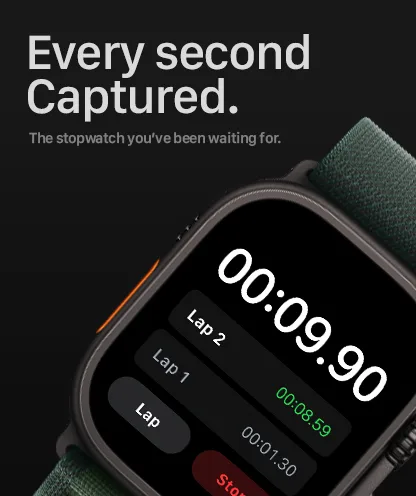
Stopwatch Max is an Apple Watch stopwatch app built for people who need more than a simple start and stop timer. It helps you capture laps quickly, keep timing accurate when your wrist is down, and control the stopwatch when touching the screen is inconvenient.
It is useful for runners, coaches, interval training, gym sessions, study sprints, cooking, and any situation where a wrist-based stopwatch is more convenient than reaching for a phone.
Precision Timing
Centisecond-accurate timer using date-based calculations. Survives app restarts.
Lap Tracking
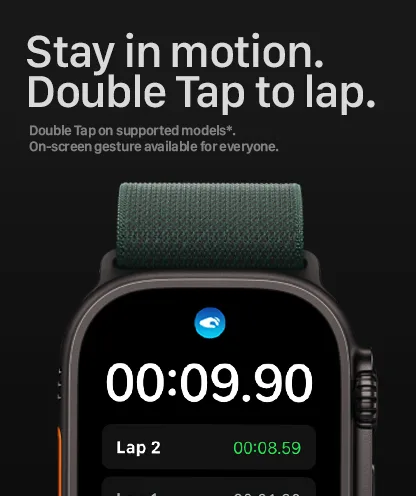
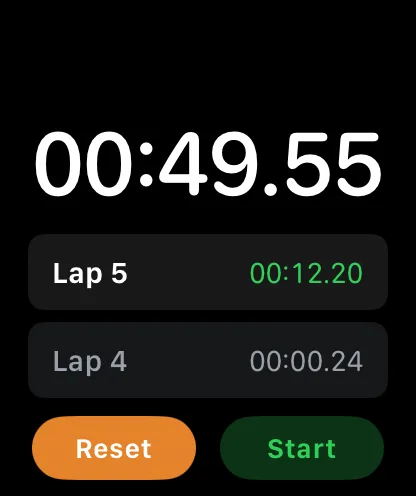
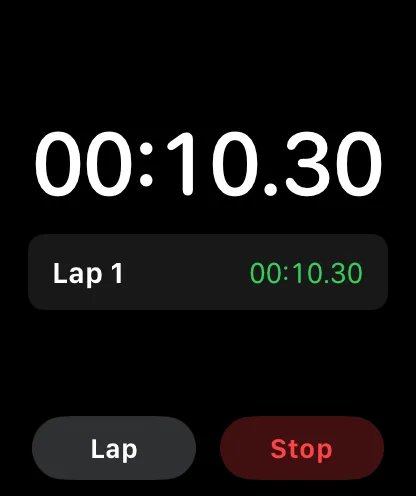
Record laps with a double-tap, hand gesture, or the lap button. Review all split times at a glance.
HealthKit Integration
Optional workout session keeps the timer running accurately when your wrist is down or the screen is off.
Siri Shortcuts
Start, lap, and reset your stopwatch hands-free with voice commands.
7 Languages
Available in English, German, Spanish, French, Japanese, Russian, and Chinese.
Privacy First
No accounts, no tracking, no network connections. All data stays on your watch.
Information
- Category
- Sports
- Compatibility
- Apple WatchRequires watchOS 10.6 or later. Companion app requires iOS 13.0 or later.
- Languages
- English, German, Spanish, French, Japanese, Russian, Chinese
- Age Rating
- 4+
- Developer Website
- despawn.me
- Privacy Policy
- View Policy
App Privacy
Here's how we handle your data in Stopwatch Max. For more details, see our privacy policy.
Data Not Collected
We don't collect any data from this app.
Common Questions
Why does Stopwatch Max ask for HealthKit permission on Apple Watch?
Stopwatch Max uses a HealthKit workout session only to keep the stopwatch running accurately when the screen is off or your wrist is down. It does not read, store, or save health data.
Does Stopwatch Max work without HealthKit permission?
Yes. The Apple Watch stopwatch works without HealthKit permission, but the timer may pause when the screen turns off or your wrist is down.
How do I record a lap in Stopwatch Max?
You can record a lap in three ways: tap the Lap button, double tap the timer display, or use the Apple Watch hand gesture while the stopwatch is running.
How do Siri Shortcuts work with Stopwatch Max?
Stopwatch Max includes Siri Shortcuts so you can start, lap, and reset the stopwatch with voice commands on your Apple Watch or paired iPhone.
